

Features
Everything between the first file and the final report.
One project holds your evidence, your reasoning and your deliverables, and keeps them connected. Here is how it works.
Screens from a sample battery-testing project
Step 1
Bring it in.
Everything the project depends on, in one place, read and ready.
01Files & connectors
Drop in everything. Miss nothing.
PDFs, Word and PowerPoint files, spreadsheets, images and data files, uploaded or linked live from Google Drive and OneDrive. URIQA reads the text, the tables and the images, and tells you plainly when a file couldn't be fully read.
What URIQA reads›
- Documents
- PDFDOCXPPTXRTFHTMLXML
- Spreadsheets and tables
- CSVTSVXLSXXLSMXLSBXLS
- Text and data files
- TXTDATLOGOUTMDJSONGEOJSONJSONLNDJSON
- Images
- PNGJPGJPEGWEBPBMPGIFTIFTIFFSVG
Also recognized and stored securely, but not read yet: HDF5 scientific container, NetCDF container, Zarr array store, MATLAB MAT file, NumPy array, Parquet columnar table, Arrow IPC table, Tecplot data and other scientific formats.
- Upload files, or link them from Google Drive and OneDrive
- Spreadsheets read as real tables; images described as figures
- Anything it couldn't fully read is flagged, not skipped
02Plan
A plan that knows the question.
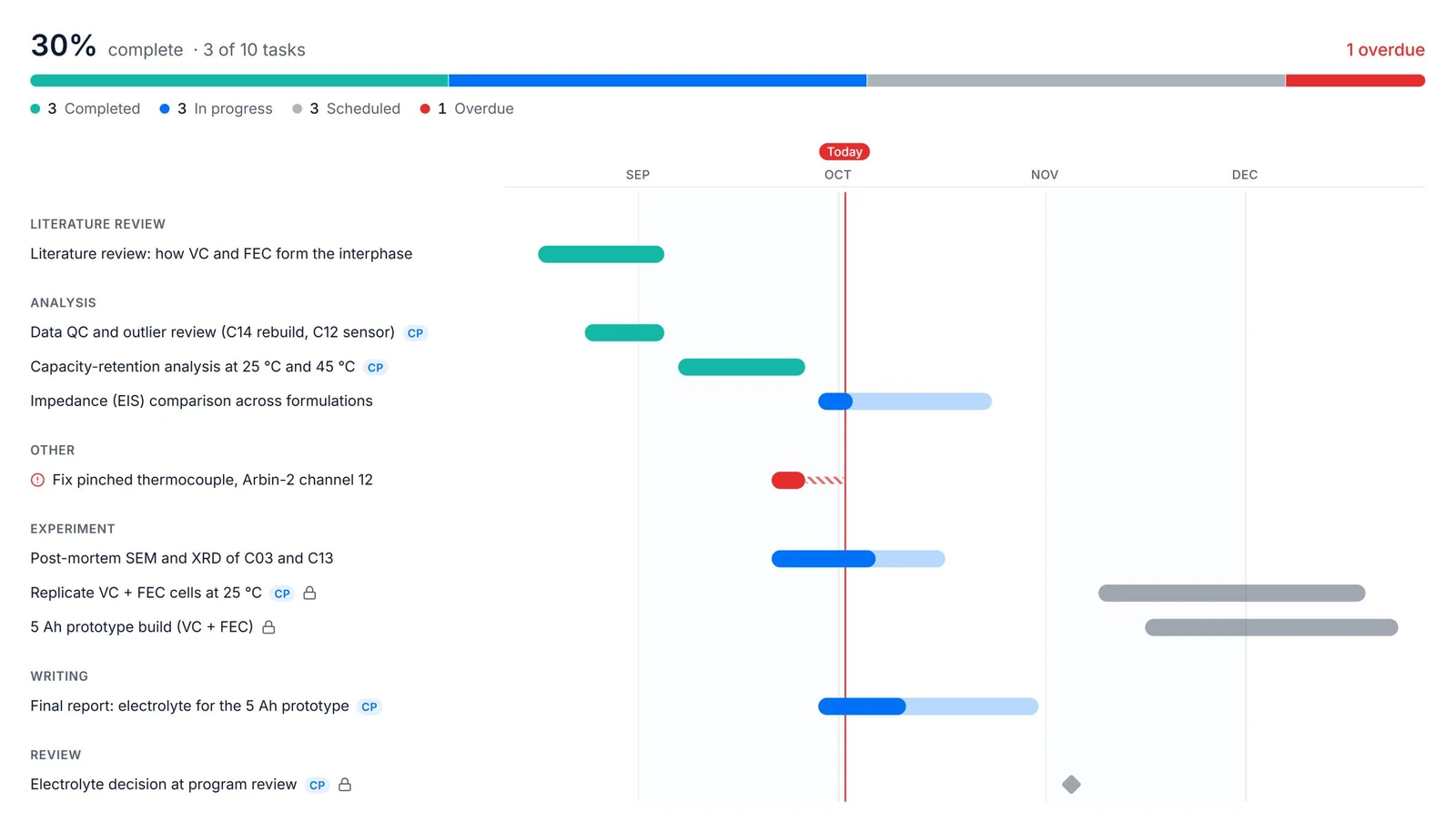
Write down the question and your hypotheses, then lay out the work, or let URIQA suggest a first set of tasks. The timeline shows what waits on what, which chain sets your finish date, and what has started to slip.
- Milestones, dependencies and the critical path on one timeline
- Slipping work flagged, with optional reminders and a weekly digest
- Hypotheses carry straight into the Insight Map
Step 2
Work it out.
Ask, record, chart and weigh the evidence until the argument holds.
03Assistant
Ask the whole project.
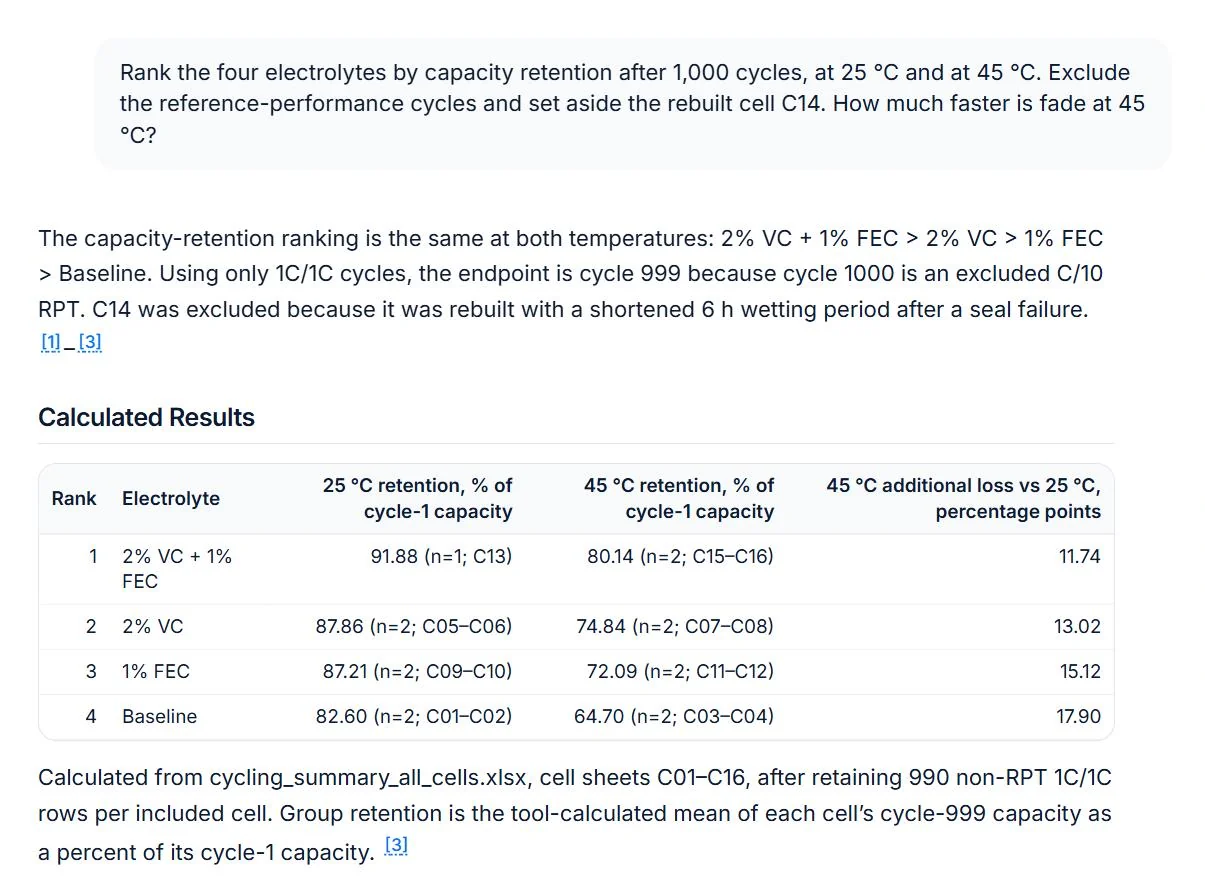
Ask anything across every file, table, note and finding. URIQA runs the numbers on your data instead of guessing, cites what it used, and saves a good answer as a note or finding in one click.
- Works across documents, spreadsheets and images
- Calculations run on your tables, not estimated
- Every answer cites its sources
04Notebook
Notes are what you saw. Findings are what you can stand behind.
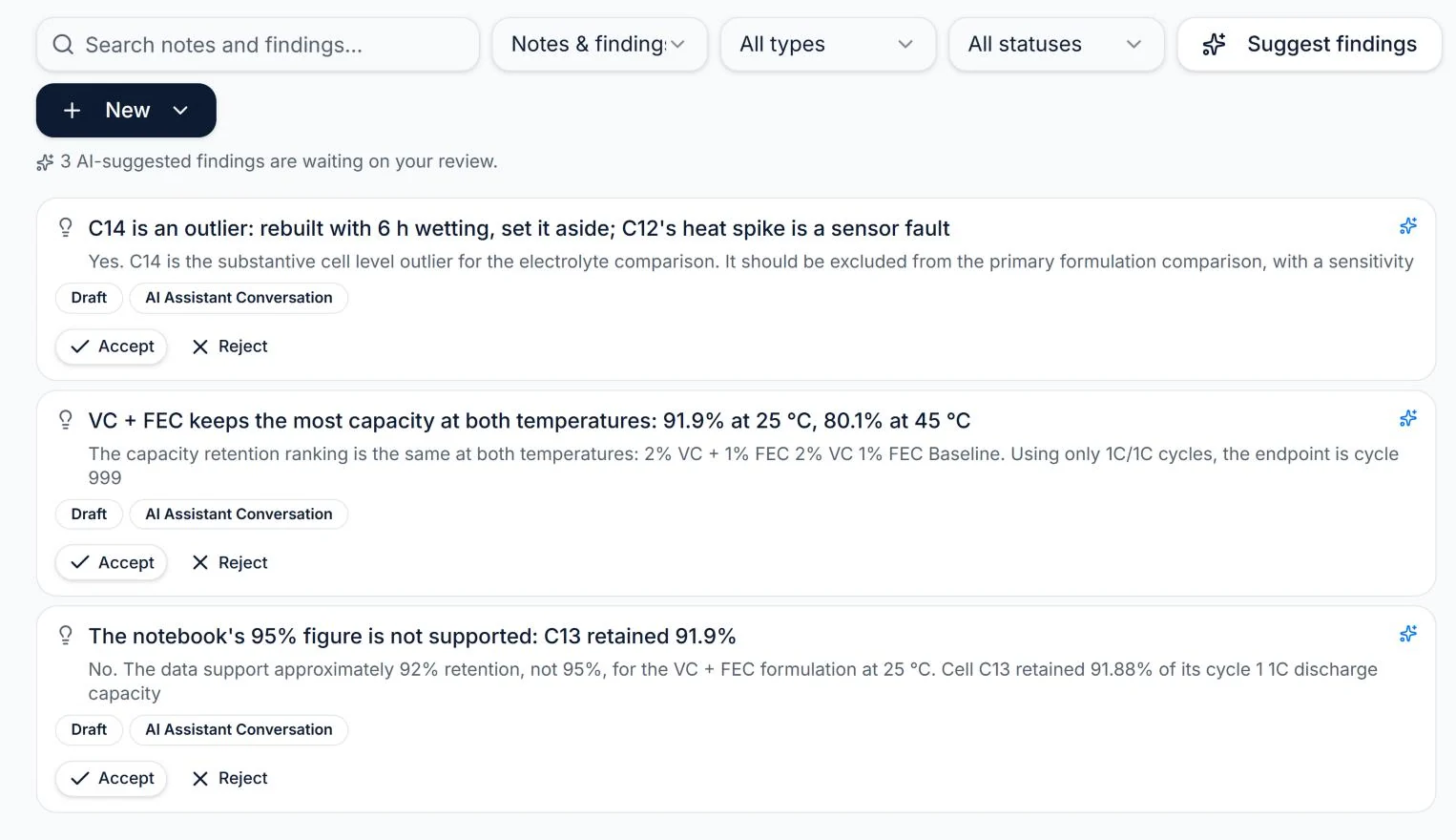
Keep observations and conclusions apart. Findings link to the evidence behind them, and anything the AI drafted is marked for review until you sign off.
- Notes and findings, kept distinct
- Findings tied to their supporting evidence
- AI-drafted findings marked for review
05Insight Map
See the argument, not just the topics.
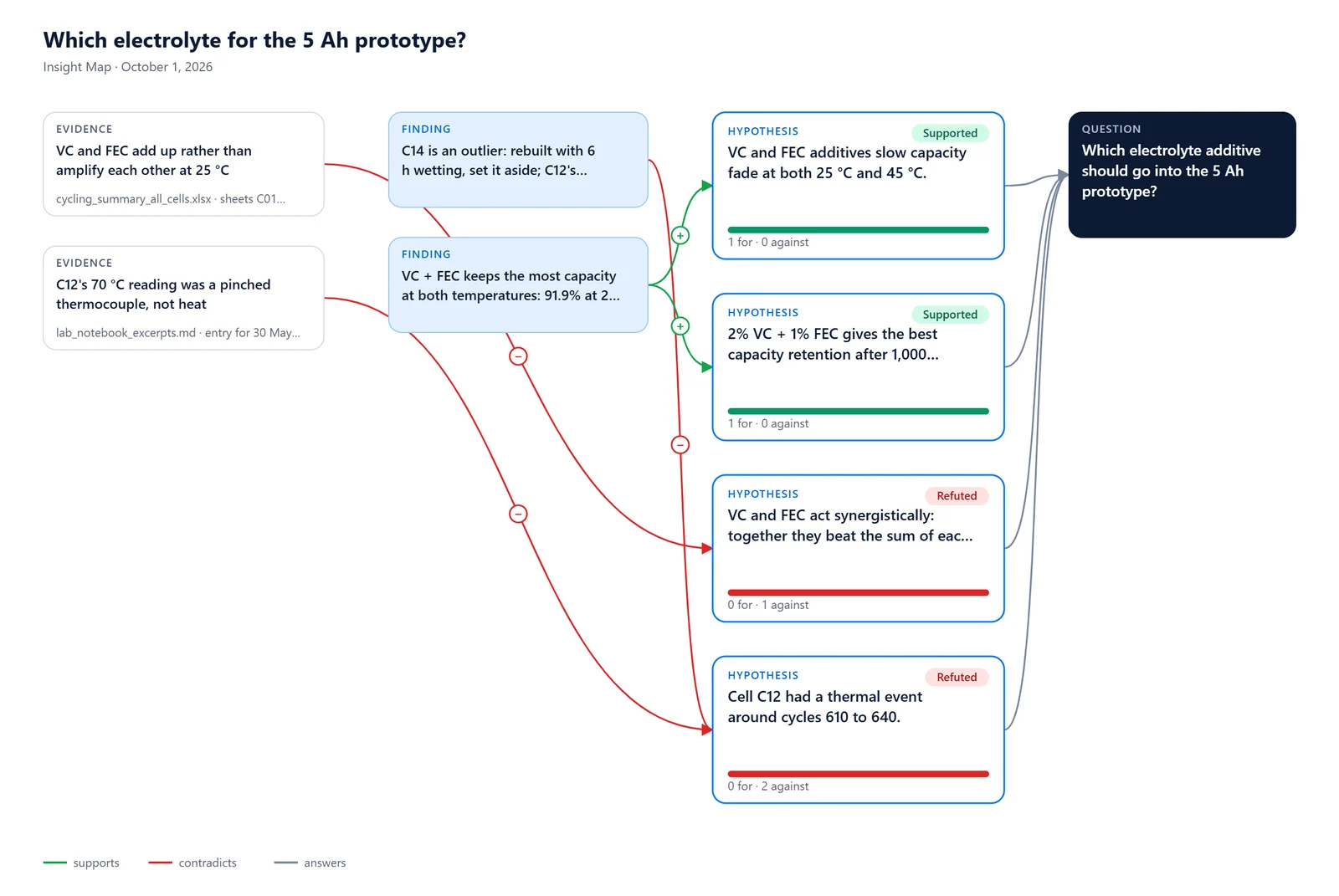
Lay out hypotheses, evidence, assumptions and open questions, then draw what supports or contradicts what. Start from your plan, from an analysis, or from a blank canvas.
- Hypotheses, evidence, assumptions and questions
- What supports and what contradicts, made visible
- Export an image, or send it to a report or deck
06Plot
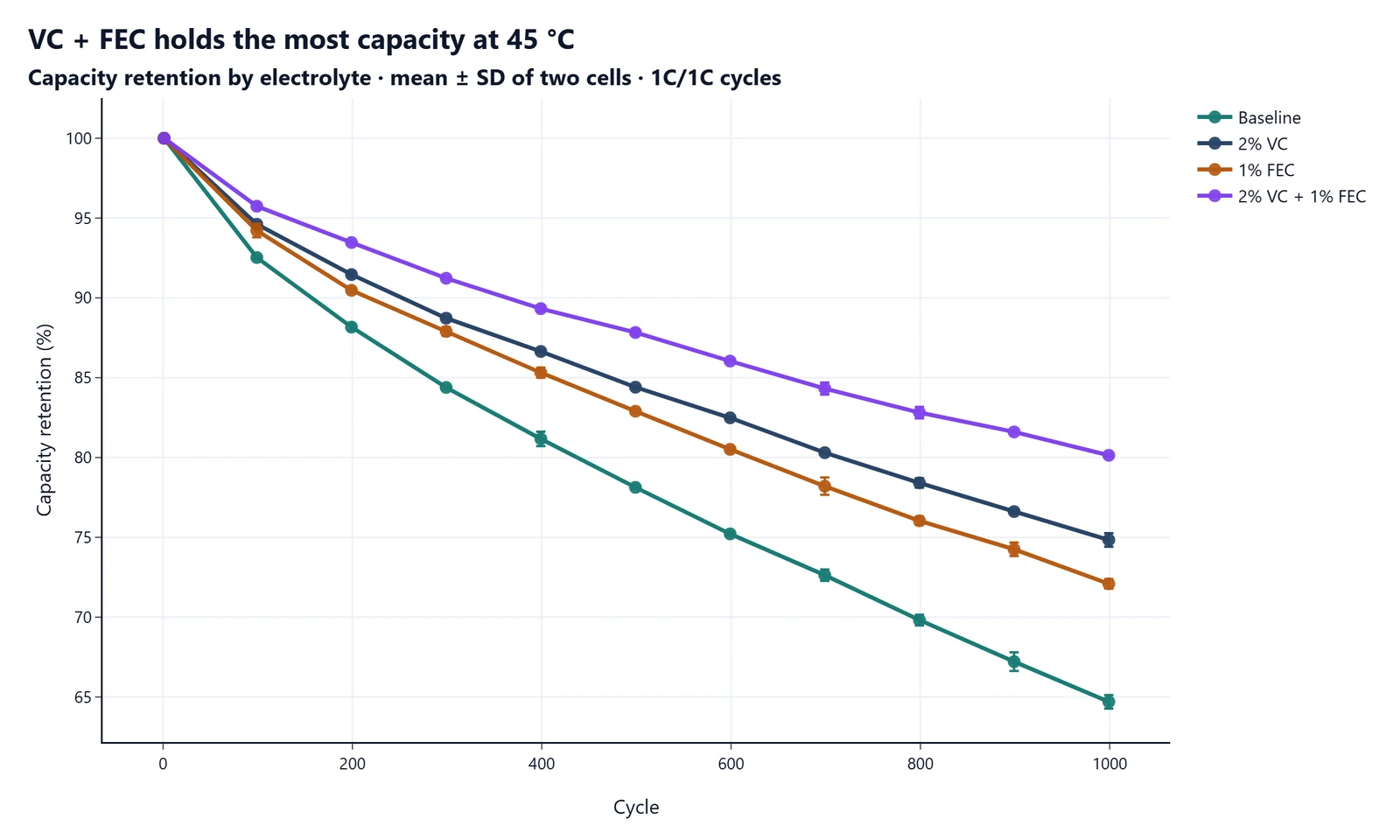
Describe the chart. Get the chart.
Describe the figure you need. URIQA picks the columns and computes every value from your data, including means and error bars across replicates, then lets you fine-tune it and reuse it in reports and slides.
- Built from your project's own tables
- Means with SD, SE or 95% CI error bars
- Reuse in reports and presentations
Agents
Delegate the legwork. Keep the judgment.
Hand URIQA a job that takes hours: reviewing the literature, reading your sources in depth, combing a project for what you missed. Its agents work through it step by step and bring back results you can check before you rely on them.
- 01
Plans the work
A clear scope and method before anything runs.
- 02
Shows its method
Every source, decision and citation stays on the record.
- 03
You decide what stays
Results come back for review, not straight into your work.
Step 3
Write it up.
Turn the same evidence into the documents people actually read.
07Reports
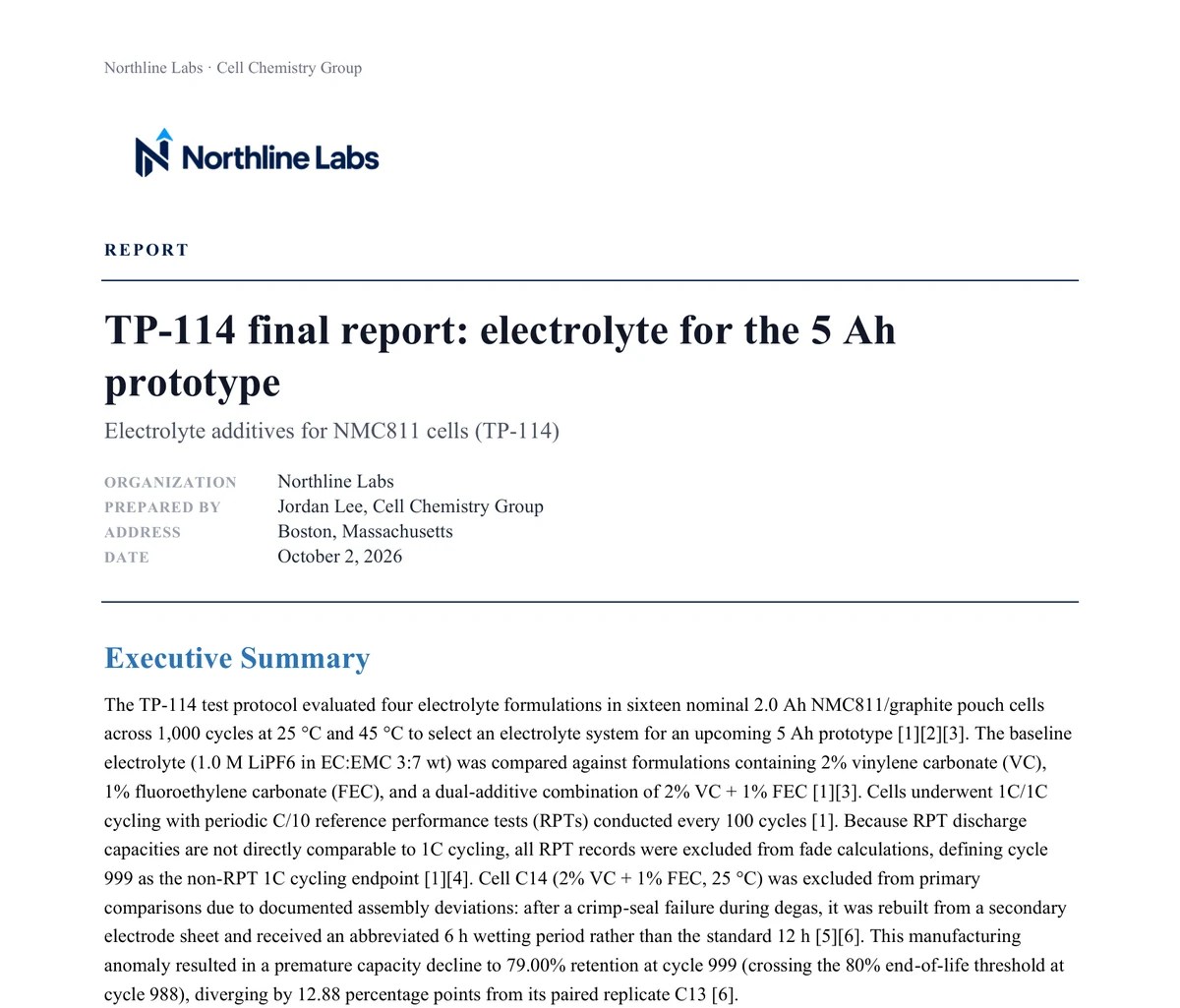
Drafts that cite their sources.
Start from templates for thesis chapters, papers, and technical or client reports. Draft from your evidence with numbered citations and a reference list, then export to Word or PDF under your own branding.
- Templates for research and professional work
- Inline citations with a reference list
- Word and PDF export, with your branding
08Presentations
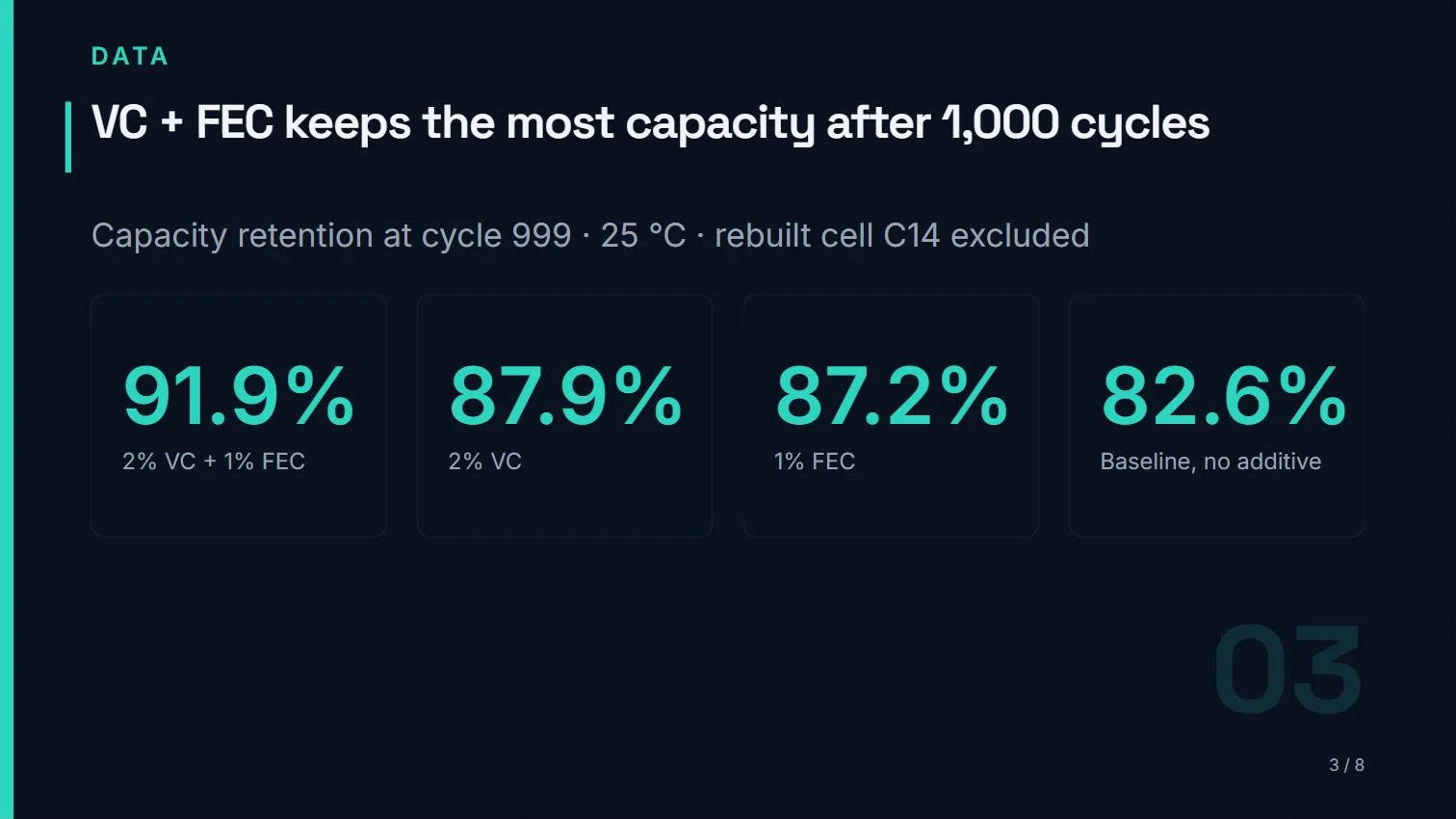
Slides that show their evidence.
Draft a deck from the sources you choose. Each claim stays tied to project evidence, and the deck exports as editable PowerPoint or as PDF.
- Drafted from the evidence you pick
- Citations that trace back to the project
- Editable PowerPoint, or PDF
09Send a copy
Hand over the project, not a zip file.
Send an advisor, colleague or successor a complete, independent copy of a project: its files, notes, findings, maps and drafts. Preview exactly what goes before it leaves. Your original stays yours.
- A full, independent copy
- Preview what travels before you send
- The recipient works in their own workspace
Every conclusion has a way back to its source.
Start a project and follow one claim all the way down.
Free plan · No credit card